
Categories
Blog Data Migration

How to Choose AWS Data Migration Service?

Decided to migrate, but unsure which out of many data migration services are right for you?

With multiple AWS data migration services available, how do you determine which suits your needs?

When petabytes of data, mission-critical operations and your business is at stake, one poor decision can cost you far more than lost revenue.

The good news is that with the right guidance, you can select the perfect AWS service for your data move. How?

Let’s dig in and find the best AWS data transfer options for your needs.

What is AWS Data Migration Service?

AWS Data Migration Services (AWS DMS) migrates your data from your existing database (on-premise database, data warehouse or other cloud services) to AWS cloud services like Amazon RDS or S3.

For Example

Say you have a customer database in your legacy system. AWS DMS extracts the data, updates it in real-time and transfers it to the new systems. During this migration, the AWS DMS replicates your data and updates it while ensuring minimal downtime.

It handles different types of migrations, including:

  • Homogeneous Migrations: When you transfer similar datasets, like Oracle, to Oracle. 
  • Heterogeneous Migrations: When you transfer different types of datasets, like SQL Server, to Amazon Aurora.

AWS data transfer options and AWS migration tools are built with every business, data size, and migration need in mind. The best part? These tools handle all the migration needs while letting you focus on other core business activities.

But why AWS application integration services? Why is it a global and reliable migration solution? Keep reading.

Why Should You Migrate to AWS?

Businesses worldwide are moving to the cloud. The global cloud migration services market is projected to reach USD 29.2 billion by 2028.

The benefits why businesses moving to the cloud are many, including: 

  • Scalability
  • Security 
  • Cost efficiency
  • Better Infrastructure
  • Improved business efficiency 
  • Competitive advantage (Apart from many other reasons)

AWS DMS’s solid cloud migration strategy makes this transition more seamless with benefits such as minimal downtime, flexible database support, secure migration and more. The added benefit of automated data migration makes this process faster and more reliable.

Ready to move to the cloud and away from unexpected downtime, overrun budgets, hidden security risks and complicated integrations? 

6 Steps to Choosing the Best AWS Data Migration Services 

Selecting the right AWD DMS does not have to be overwhelming. All you need is the right strategy and tools to make everything click into the right place. Similarly, you can find the right AWS migration tools with the right cloud migration strategy.

To simplify things, here are the six most important steps to consider before selecting an AWS DMS for your business. 

Step 1: Define Your Migration Goal and Needs

Before you consider AWS DMS, it is important to understand and define your migration goals and needs. You can start by asking yourself a few questions, such as:

  • What types of data are you planning to migrate?
  • What is the scale of your data migration?
  • What is the source of your data?
  • Do you need real-time data replication?

You need to evaluate and understand whether your dataset is structured or unstructured. Is your data on an outdated system or in a different cloud environment? Are you migrating small data sets or multi-terabyte data? Do you need minimal downtime during the data transfer?

The types, scale and sources of your data influence the type of AWS migration tool you choose. For instance, large-scale migrations might need additional services like AWS Snowball for physical data transfer. You might also need real-time application features to minimize business disruptions.

Answering these questions will help you select a tool that supports your data types and size. 

Step 2: Evaluate and Analyze Different AWS DMS

The next step is to evaluate and analyze the different AWS data transfer options. AWS offers different types of migration tool options, customized and tailored for your business needs.

What are the options that AWS offers? Here’s a list of main services that you can choose from:

1. AWS Data Migration Services

As we saw earlier, AWS DMS is suitable for real-time data transfer and is a go-to option supporting heterogeneous and homogeneous migrations.

Key Features:

  • Supports different sources and target databases, like MySQL, Amazon RDS and Oracle. 
  • Offers continuous data replications with minimal downtime, 
  • Data synchronization between the source and target remains ongoing during migration. 

2. AWS Snowball

AWS Snowball is a physical device that helps you securely transfer your data from your current system to AWS. It is the right tool for you if you have a large dataset (petabytes), particularly when the bandwidth exceeds the internet’s capabilities.

Key Features: 

  • Quick and secure transfer of data with a physical device. 
  • Ideal for transfers where network connectivity is not sufficient. 
  • Your data is encrypted during the transport.

3. AWS DataSync

AWS DataSync automates and accelerates your data migration directly to Amazon S3, EFS or FSx. It is an ideal solution for moving large file-based data, such as file systems and data archives.

Key Features:

  • High-speed data transfer for large data files. 
  • Automatically transfers your data from your on-premise system to AWS. 
  • Supports different file systems, including NFS, SMB and HDFS.

4. AWS Transfer Family

AWS Transfer Family provides a managed service for migrating your data directly into Amazon S3. It supports secure file transfer protocols and integrates with your existing authentication systems.

It is a great choice if you want to maintain specific protocols and transfer files using protocols such as FTP, SFTP and FTPS.

Key Features:

  • Integrates with Amazon S3, offering seamless data management. 
  • Requires no infrastructure setup. 
  • Supports authentication protocols for secure file transfers.

You can select any of AWS’ services based on your data and business needs. 

Step 3: Security and Compliance 

Compliance and security are crucial factors when you are selecting a cloud migration service. Security breaches can result in data loss, reputational damage and financial fines.

During the migration process, you may lose your data due to any unavoidable circumstances or human errors. Therefore, to avoid potential lawsuits or damage to customer trust and protect your sensitive data, choose software that offers both security and compliance. 

How do you know if your chosen service is secure and follows security compliance?

  • Choose an AWS service that provides adequate security features, such as encryption at rest and transmission. 
  • Check if they follow industry standards like HIPAA, GDPR and SOC 2.

AWS DMS offers data encryption using the AWS Key Management System (KMS), and AWS Snowball encrypts your data before sending it.

Finally, depending on the sensitivity of your data, choose a service that meets your business and industry regulatory requirements.

Step 4: Consider the Cost of Migration 

Cost considerations play another important part when choosing a migration service. Imagine selecting a service solely because of its low initial costs only to face different challenges, including:

  • Downtime
  • Inefficiencies
  • Lost productivity
  • Additional recovery costs 
  • Costs for future updates
  • Data security

These challenges can add up quickly. A well-thought-out-cost strategy is important before selecting a migration service. Therefore, estimate costs beforehand, as pricing models vary based on the size and complexity of your data.

AWS DMS pricing is based on replication instance hours and the volume of data transferred. AWS Snowball has pricing based on device usage and data storage. AWS DataSync charges based on the amount of data transferred.

AWS also has an AWS Pricing Calculator that you can use to model the cost based on your migration needs. Finally, consider your data volume, transfer speed and service requirements for a cost-effective migration. 

Step 5: Plan for Downtime, Performance and Scalability

Imagine selecting a data migration service that shuts down your business operations for hours or even days. Or imagine selecting a service that supports your current data but does not accommodate your growing business needs.

The consequences?

  • Lost revenue
  • Prolonged downtime
  • Damaged customer trust 
  • Inefficiencies 
  • Bottlenecks 
  • Additional costs down the line

Ultimately, one wrong choice can hinder your growth and profitability and affect your competitive advantage in the marketplace. 

AWS DMS helps you minimize downtime during data transfer. However, certain interruptions might occur during large-scale migrations.

So, evaluate your tolerance for downtime. Then, choose a service that performs well during migration and offers scalability options for your growing business needs. 

Step 6: Support, Training and Maintenance

Last, but not least, it’s essential to choose data migration service providers that offer 24/7 support, thorough training and timely maintenance.

Why is support, training and maintenance important? Ask yourself these questions:

What happens if your team doesn’t know what to do with the new system? How would you handle issues that come knocking on your door post-migration? What if the system crashes and needs an update but no ongoing maintenance?

Your selection process should include necessary support, extensive documentation, tutorials and training. AWS offers support plans and 24/7 certificated cloud experts.

Choosing the right AWS DMS is crucial to future-proofing your business and data. Follow these steps to make an informed and confident decision. 

Conclusion

Ready to move your data with AWS DMS? If you are still weighing your options, don’t worry—we are here to help. Our team of experts provides scalable, secure and transformative services tailored to all types and sizes of businesses.

Our data migration service providers offer solutions ranging from infrastructure-as-a-service to software-as-a-service. They will guide you through every step of your migration process.

FAQs:

1. What are the AWS data migration services?

AWS Database Migration Service (AWS DMS) is a managed service that enables you to swiftly and securely migrate your databases and analytics workloads to Amazon Web Services (AWS).


2. Is AWS DMS an ETL tool?

AWS Database Migration Service (AWS DMS) is a managed ETL service that helps you migrate your databases to AWS.


One of the main benefits of using DMS is that your source database can remain fully operational during the migration process. Additionally, it supports both one-time migrations and ongoing replication.


3. What is the fastest way to transfer data to AWS?

DataSync can transfer data up to 10 times faster than open-source tools. It can also copy data over AWS Direct Connect or internet links to AWS for one-time data migrations, recurring data processing workflows, and automated data protection and recovery replication.


4. What is the full form of SFTP in AWS?

Secure Shell (SSH) File Transfer Protocol (SFTP) is a network protocol that is used to securely transfer data over the internet.


5. What is the ETL tool in AWS?

Extract, transform, and load (ETL) is the process of combining data from multiple sources into a large, central repository called a data warehouse. 


ETL uses a set of business rules to clean and organize raw data and prepare it for storage, data analytics, and machine learning (ML).

Categories
Blog Data Visualization

Data Visualization Services: Good Choice or Not?

Can data visualization services transform your business? Or is it just another tool that promises more than it delivers?

Can charts and graphs really help double your traffic, capture the right audience and increase your ROI? 

If these questions are keeping you awake, you are in the right place. Every tool promises different results, but the risk of disappointment is real. 

Rest assured, we’ll help you make the right call. Dig in to see if business data visualization is really worth the investment or if there is something better left on the shelf. 

What are Data Visualization Services?

Data visualization or data visualization services refers to converting and presenting your raw data into clear and actionable insights with easy-to-understand visuals. These visuals are presented using different visualizations, including graphs, charts, bars, and more.

Think of it as converting raw, complex data and numbers into meaningful information that your team and stockholders can easily and instantly grasp and make sense of.

Imagine presenting a quarterly sales report to a stakeholder. Instead of presenting a long list of numbers or a spreadsheet with messed-up rows, you use a graph to highlight the KPIs (Key performance indicators).

The result?

  • The stakeholders are no longer lost in scrambled numbers. 
  • The visualizations are quick and instant. 
  • They can interpret what’s working and what needs improvement. 
  • They can make better decisions and identify future trends. 

Business data visualization is a powerful tool to make your numbers more digestible. It helps you get your point across quickly and efficiently. Whether it’s your team, stakeholders, or your clients, data visualization helps them understand the story behind your numbers. 

However, the big question still remains: Will Data visualization really help make smarter business decisions and create more effective strategies?

Keep reading to see how data visualization for decision-making can change the way your business interprets and leverages its data. 

Why Should You Consider Business Data Visualization?

Do you know that images predominate the text? According to the International Forum of Visual Practitioners, the human brain loves pictures as it is naturally wired to absorb, process and communicate information through visuals.

In fact, 90% of the information transmitted to our brain is visual. Images are also processed 60,000 times faster than text and quicker than you can blink. For the same reasons, you should pay attention to the benefits of data visualization.

Think about it! When you look at a pie chart, doesn’t it feel like you are grasping the data way better than a mountain of numbers on a spreadsheet?

Whether you are tracking customer behavior, analyzing your sales report or predicting market trends, you are swimming in numbers. All of this data needs a translator to uncover the “Why” and “How” behind those numbers.

To know what exactly data visualization for decision-making brings to your table, let’s dig into its benefits.  

Top 5 Benefits of Data Visualization

Data without visualization is like trying to solve a jigsaw puzzle without the picture in its box. You have the pieces (data), but it’s hard to see what they create or how they fit together.

Data visualization gives you a big-picture view. You connect the dots, see patterns and understand the story of your data. What are the other benefits of data visualization for decision-making? Let’s have a look.

1. Simplified Data Implementation

Data visualization makes your data easier to understand. It simplifies your messy and complicated data into patterns, trends and anomalies.

Data that would take hours to decipher with a spreadsheet or a table can be processed and understood faster with a well-designed graph or chart.

How can it benefit you?

  • Integrate all your data from different sources into a single cohesive visual. 
  • Get real-time updates and reduce the need for manual data handling. 
  • Reduces the risk of misinterpretation or human error. 
  • Easy to navigate and faster to understand for new members. 

From easily tracking growth to identifying the drops, data visualization helps you lead with clarity and offers efficient decision-making power.

2. Better Communications

You don’t want your end users, such as your team, clients, and investors, to be bombarded with dry numbers, right?

Data visualization is a great tool for communications. It acts like a universal language and makes it easier to share information with your end users regardless of their level of expertise or familiarity with the data.

The visuals add a cherry on top and ensure that even complex information is accessible and understandable for all.

How can it benefit you?

  • Presents data in consistent visuals, ensuring everyone is on the same page.
  • Share live interactive visuals with teams working remotely or in different time zones.
  • You can improve your stakeholder engagement by presenting data-driven insights.
  • Showcase a clear, engaging and easy-to-understand story.
  • Foster collaborative discussions using interactive dashboards.
  • Data becomes accessible to everyone regardless of their technical skills.

With data visualization, you can make your team or a boardroom full of executives grasp the key takeaways and collaborate with a well-designed visualization. Furthermore, you can make real-time updates with cloud-based tools, like Google Data Studio or Power BI. 

3. Increased Customer Engagement

Wouldn’t it be easy to understand and respond to each customer personally? Of course, who wouldn’t want that? However, with so much data spread across different touchpoints, it’s hard to identify what they prefer or need. 

Data visualization drills down into your data to explore customer trends and predict their future preferences. Interactive dashboards allow customers to filter based on different parameters and offer a personalized experience. 

How can it benefit you?

  • Use customized and personalized visual dashboards to show real insights. 
  • Offer clear reporting by breaking down numbers into graphs and maps. 
  • Make them feel more controlled by giving them direct access to their business performance. 
  • Strengthen their trust by helping them track and measure their progress.

Using interactive visualizations, you can understand your users’ needs and preferences and make adjustments in real time. When your users can engage with the data, they feel more prioritized, which, in turn, increases your customer engagement. 

4. Enhanced Data Analytics

Imagine reading a massive book in one sitting. Now imagine reading it by breaking it into small chapters or sections. What’s more manageable, and what’s more overwhelming? The latter is manageable and enhances your power to understand.

The same goes for data. When complex data is divided into smaller chunks, it is easier to analyze. Data visualization does the same with graphs and charts. You can thus focus on one piece of data, see trends and make decisions without getting lost.

How can it benefit you? 

  • Identify trends, patterns and shifts over time quickly
  • Break down large data sets into smaller segments for better and more targeted analyses
  • Spot outliners or anomalies that you might have missed in your raw data
  • Improve accuracy for better insights
  • Simplify complex and multi-dimensional data
  • Predict and forecast the future outcomes

With data visualizations, you can make faster decisions, make better strategic plans and have a deeper understanding of your customers. 

5. Improve Decision-Making

Scrolling through pages of survey responses or acting on an issue after it gets bigger is a no-no for any business. Time is money. Good and faster decision-making is also important to grow in the ever-growing business industry.

Data visualization allows you to make faster and better decisions by detecting trends and spotting problems.

How can it benefit you?

  • With up-to-date visual data, make real-time decisions. 
  • Have clearer business insights
  • Access business performance and make adjustments as needed with KPIs.
  • Make data-driven decisions and not decisions based on your gut.
  • Take immediate action on key findings.

Data visualizations help detect declines in customer satisfaction, identify sales opportunities, and understand shifts in market demand before competitors do.

In a race to make better, faster decisions, a picture is indeed worth a thousand spreadsheets. 

If you really want better outcomes, improved business productivity, enhanced customer experience or identified growth opportunities, start leveraging the benefits of data visualization today. 

The Challenges of Data Visualization

We all know what goes into building a strong, well-designed house (the foundation, costs, workforce, intricate details, interiors, and so much more).

Data visualization for decision-making is like building a house. The goal is clear: a reliable and designed visualization that points towards the right decision. However, the path to get there isn’t always simple. One wrong decision can lead to confusion instead of clarity.

In data visualization, the challenges lie in the following:

  • Selecting the right tool
  • Choosing the appropriate visualization method
  • High initial costs
  • Poor designs 
  • Low data quality and inaccurate data 
  • Over-reliance on the visualizations

Ways to Overcome these Challenges:

  • Select the right tool that suits your business needs.
  • Make sure that the visualization type you choose is easy to interpret
  • Be careful with the visuals. Do not overwhelm or mislead your audience.
  • Be prepared for the financial commitment that comes with high-quality customized visualizations.
  • Do not make poor decisions that can lead to confusion. Make clear and accurate designs.
  • Verify your data beforehand and ensure that there is no missing or misleading data. 

Overcoming these challenges is not a hard nut to crack. Data visualization for decision-making just needs the right structure, tools, techniques and approach.

Furthermore, the data visualization future trends, including AI (artificial intelligence), AR (Augmented reality), and Virtual Reality are even more fascinating. 

Are Data Visualization Services the Right Choice?

Yes, data visualization is absolutely the right choice. Data visualization helps you spend time making better business decisions and taking your business to new heights.

But do you know what the real question is: Can you afford not to invest in it? With the ever-growing data, staying ahead means making quick business decisions confidently. Data visualization helps you do that and lets you stay ahead in the game.

However, for smaller businesses with limited budgets, it could be difficult to justify unless you can demonstrate a data-driven need. You can ask yourself questions such as:

  • Do you have large and complex data that needs interpretation?
  • Are there non-technical stakeholders for whom you need data-driven insights for better communications?
  • Do you have the budget to invest in the tools and expertise?
  • Do you want to improve the accuracy of your reports?
  • What is it that you want from your visualizations?

If you answered yes to all the above questions, why wait? Start visualizing your data. You can start by talking to a data visualization consultant at Augmented Systems

How Augmented Can Help?

Our data visualization consultancy team and developers help you craft impactful stories that turn your data into narratives for strategic growth and innovation.

We won’t give you cookie-cutter solutions. Instead, we will understand your needs, collaborate with you and personalize the solutions for your unique needs.

If you are ready to change your business for the better, contact our data visualization experts today.

FAQs:


Q1. What is bad or misleading data visualization?

Bad or misleading data visualization distorts or confuses the viewer, often by using manipulated scales, improper chart types, or incomplete data. 


It can exaggerate or obscure trends, misrepresent proportions, or lack clarity, leading to inaccurate conclusions. 


Effective data visualization should be clear, accurate, and contextually appropriate.


Q2. What is the future of data visualization?

The future of data visualization is in Virtual Reality (VR) and Augmented Reality (AR). These immersive technologies can transform how we experience information.


Imagine using a VR headset to explore your data or overlay insights onto your surroundings with AR, making the experience more interactive and intuitive.


Q3. How is data visualization used in businesses?

Data visualization in business is used to simplify complex data, identify trends, and make informed decisions. It helps businesses analyze performance, track KPIs, improve communication, and uncover insights that drive strategy and growth.


Q4. Why do modern businesses need data visualization?

Data visualization empowers business users to extract insights from vast datasets, identifying patterns and anomalies. Charts, graphs, and dashboards allow users to grasp insights and trends quickly, enabling better decision-making and data literacy.


Q5. What is a data visualization consultant?

A data visualization consultant is a specialist who assists businesses in creating clear visual representations of data. They develop charts, dashboards, and interactive graphics to enable organizations to analyze, interpret, and communicate data insights more effectively.


Categories
Blog Data Visualization

What Are Common Visual Big Data Analysis Techniques​?

Ever seen a sky full of stars? Isn’t it beautiful, awe-fully inspiring, but impossible to make sense of?

Do you feel the same when looking at your big data? It’s insightful and important but complex and confusing.

If you are nodding along, then it does.

Big data can easily become a cluster of constellations with endless data points and zero clarity. But what if you can actually understand and make use of your data sets? 

Get ready to do just that as we bring you the top 10 big data analysis techniques in this blog. 

Why Do You Need Data Visualization Analysis for Big Data?

Do you know the amount of data created, consumed and generated daily? We are breaking down the numbers for you, so take a back seat because they will blow up your mind. 

With data creation predicted to reach 147 zettabytes by the end of 2024 and 180 zettabytes by 2025, daily data created is breaking down its records, surpassing human imagination. 

Data is generated endlessly every single day, and its sources are diverse, including:

  • Images 
  • Videos
  • Social Media
  • Google Searches 
  • The Internet
  • YouTube
  • File Sharing 
  • E-mails 
  • Maps 
  • Forecasts 
  • Stocks (and many more)

Every move or action you make today is equal to data creation. When analyzing this vast data, many people do not see the forest for the trees. Why? The truth is there is too much raw information, and focusing on the details in between this vastness is very difficult.

This is when data visualization specialists use big data analysis methods, trends, techniques and tools to give meaning to your data.

Big data’s sheer volume, variety and velocity require data visualization best practices to understand and make sense of this ever-multiplying data. Ready to make your data understandable and acted upon? Let’s see how these big data analysis methods can help.

Top 3 Visual Data Analysis Techniques in Big Data

When choosing a data analysis or big data visualization tool, it is important to understand that just picking any chart or graph won’t work. All big data visualization tools are different, so before you start making a decision, ask yourself a few simple questions, such as:

  • What relationship between your data sets are you trying to explore? 
  • Do you want to analyze a single value over time or multiple values? 
  • What are you looking for? Outliners or analysis trends?

Similar questions and the key components of data visualization will guide you in finding the right big data visualization tools. To help you in your decision making, here are some of the most common big data analysis techniques.

1. Regression Analysis

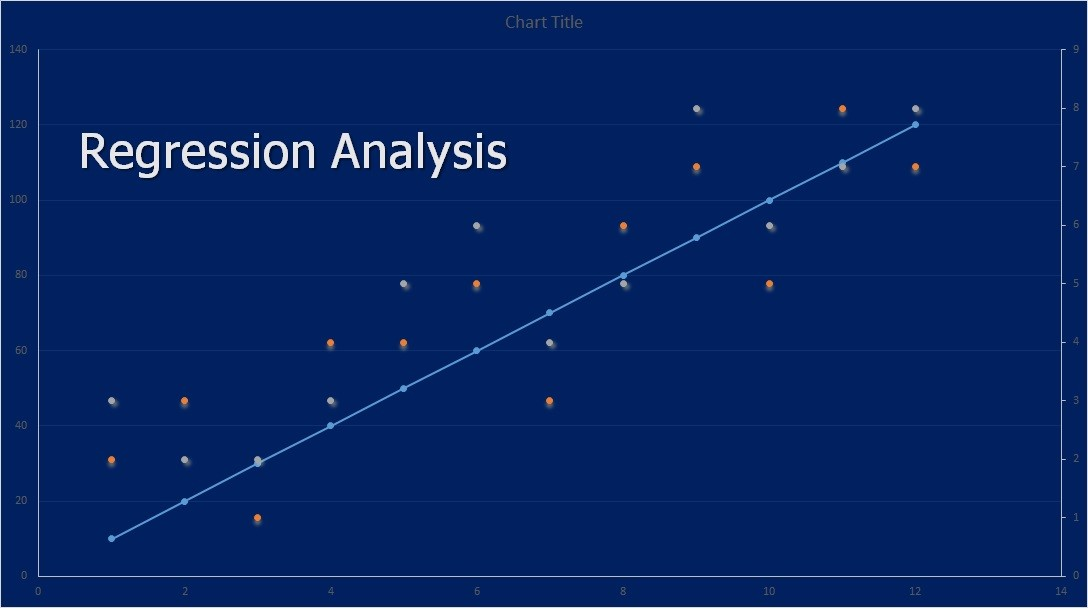
Regression analysis is a statistical method for finding a relationship between a dependent variable and one or more independent variables.

Using this big data analysis method, you can determine how changes in one variable are related to changes in other variables. It’s like trying to figure out how one thing affects another.

For example,

How are marketing and sales influencing your business revenue? Or what’s the relationship between customer acquisition and marketing budget?

Regression analysis lets you see patterns, trends and hidden connections between different data points. You can predict outcomes and estimate what the upcoming results might be. 

How and Why to Use Regression Analysis?

With mountains of data, it can sometimes be confusing to distinguish what matters most from noise. Regression analysis helps you find the important parts of your data by making it easier to understand. Your decisions with regressing analysis will be based on evidence, not guesses.

  • You can start by deciding what you wish to analyze
  • Ask yourself questions
  • Gather and clean your data
  • Choose the type of relationship you want to showcase
  • Use the right tool to perform your regression
  • Analyze the output and
  • Find your answers

Benefits:

  • Simplifies complex data 
  • Helps make predictions
  • Provides quantitative backing 
  • It’s flexible across industries

Limitations:

  • Relies on assumptions
  • Overfitting for complex models 
  • Sensitive to outliners (It can distort your results)
  • Multicollinearity can skew the analysis

Big Data Visualization Tools You Can Use:

  • Heatmaps 
  • Scatter Plots 
  • Regression Line Plots
  • Line Charts 
  • Interactive dashboards

You can use Power BI, Excel, Tableau, and D3.js for regression analysis of your data. From analyzing business performance to predicting customer behavior, regression analysis helps you bring clarity to your data. It helps you see what’s happening and where to go next. 

2. Time Series Analysis

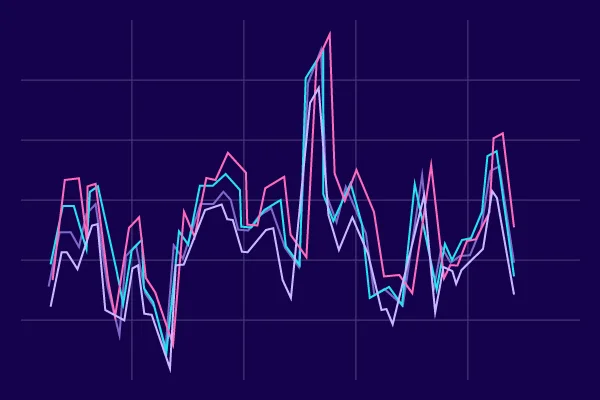
Another statistical big data analysis technique is time series analysis. This technique analyzes data points collected or recorded over a period of time, allowing you to understand how things change over time.

You can spot patterns, identify trends, seasonality and even forecast future outcomes, helping you track changes and predict the future.

For example,

You can track your business sales over regular intervals, identify the pattern and see if they grow every year or month.

It can also help you check if your website’s traffic has a peak on weekends or predict your next month’s traffic. 

How and Why to Use Time Series Analysis?

Time series analysis is one of the best visualization tools for preparing for what might happen next. It allows you to assess seasonal patterns, quarterly patterns and other cycles over a set period of time. 

To use a time series analysis method start with gathering your data. 

  • Collect the data that changes over time
  • Visualize it on a timeline
  • Identify the trend, repeating patterns and the noise 
  • Choose a model to make predictions
  • Analyze and forecast predictions 

Benefits:

  • Identify long-term trends 
  • Better decision-making 
  • Highlights lows and highs 
  • Easy to understand time-based data

Limitations: 

  • Results can be misleading with inaccurate or missing data
  • Cannot handle sudden changes 
  • Random fluctuations do not provide meaningful insights 
  • Difficult to process highly complex data

Big Data Visualization Tools You Can Use:

  • Line Plot
  • Histogram
  • Seasonal Decomposition Plot
  • Area Chart
  • Time Series Plot 
  • Rolling Average Plot 

QlikView, Google Data Studio, MATLAB, Tableau, and Python are some of the tools commonly used for time series analysis. 

Time series analysis is a great tool for time-based forecasting, including weather forecasting and preparing for season demands. For best results, you only have to provide clean and consistent data. 

3. Cluster Analysis

Another visual data analysis technique in big data is cluster analysis. It is a method of organizing your data into groups with similarities. Using these clusters, you can identify similar data points in one cluster.

Thus, instead of making rough guesses on how to organize your data, cluster analysis brings out patterns naturally so you don’t have to (particularly with predefined categories). It’s similar to organizing your closet by color or type of cloth.

For example,

You can cluster data points together for customers who buy product A and a different cluster of customers who buy product B. Each cluster or bubble represents a data point. The size and color of the bubble can represent different attributes of that particular cluster. 

How and Why to Use Cluster Analysis?

The most common types of clutter analysis are dendrograms (tree-like diagrams showing hierarchical data), bubble graphs and multi-dimensional scaling plots. 

You can use these techniques when you want to group, classify or work on customer segmentation, market analysis or high-dimensional data. 

To use a cluster analysis method, start by asking yourself what outcome you want. Do you want to identify patterns in your data or segment different types of customers? 

  • Start with a goal 
  • Clean your data 
  • Standardize it based on variables or scale 
  • Choose a cluttering method
  • Use tools to run the analysis 
  • Plot the clutter to visualize it

Benefits: 

  • Helps find hidden patterns
  • Helps target strategies better
  • Simplifies complexity 
  • Versatile for all industries

Limitation:

  • Sensitive to the quality of your data
  • Different algorithms produce different clusters for the same data 
  • Understanding and labeling the clusters can sometimes be complex 
  • Sometimes difficult to find out how many clusters you need

Big Data Visualization Tools You Can Use:

  • Bubble Chart
  • Dendrograms
  • 3D Scatter Plots
  • Elbow Curve
  • Spider Plot 
  • Heatmaps
  • Box Plot

Cluster analysis will help you organize your chaotic data and make intuitive decisions. You can use tools like Tableau, Power BI, QlikView and Google Data Studio.

See Data Like Never Before 

The ocean of data available is not stopping any time soon. Does that mean you cannot grasp the individual drops from it? No. Visual data analysis techniques in big data empower you to comprehend the finer details of your data within the bigger picture.

It may not be as simple as dressing up your graph to make it look better, but it is a powerful tool for big data.

Don’t want to let your data go to waste? Consult our team of data visualization specialists. We will transform your data the same way we’ve transformed countless others.

FAQs:


1. What is visualization data analysis?


Data visualization is a technique for converting raw information or data into a visual format, such as a map or graph. It is done to make data easier for us to understand, interpret and make data-driven decisions. 


2. What are the types of big data visualization categories?


Various forms of data visualization exist, including but not limited to bar charts, line charts, scatter plots, pie charts, and heat maps. These represent commonly used methods for presenting and interpreting data.


3. What are the benefits of analyzing big data?


The benefits of analyzing bid data are many, including:

  • Improved decision-making
  • Increased agility and innovation
  • Better customer experiences
  • Continuous intelligence
  • More efficient operations
  • Improved risk management


4. What is big data analysis?

Big data analytics refers to the methods, tools, and applications used to collect, process, and derive insights from varied, high-volume, high-velocity data sets. These data sets may come from various sources, such as web, mobile, email, social media, and networked smart devices.


5. Why is big data used?


Big data allows you to collect and process real-time data points and analyze them to adapt quickly and gain a competitive advantage. These insights can guide and accelerate the planning, production, and launch of new products, features, and updates.

Categories
Blog Data Visualization

Data Visualization in Finance: Ultimate Guide

Does your spreadsheet look like the Great Wall of China—filled with numbers, endless rows of revenue figures, profit margins and stock fluctuations? 

If you’re reading this right now, it probably does.

Shifting through rows and columns of data could leave you clueless with a room full of errors. 

But what if there was a way to give meaning to your data – More clarity, better understanding and actional insights?

This is where a data visualization consultant steps in. With their expertise, you can transform complex financial data into clear and compelling visuals that drive informed decisions.

Data visualization in finance can turn the tables and do just that. How?

Let’s break it down together in this blog. 

What is Data Visualization in Finance?

Data visualization in finance is the process of visualizing massive sets of unprocessed data into graphical representations. Visually appealing and easy-to-understand visualizations help you make better financial decisions.

These visualizations represent financial data, reports and statements to provide insights into different financial metrics. These metrics include:

  • Sales figures
  • Profit and loss
  • Equity
  • Assets and liabilities
  • Income and expenses and other financial data.

But you must be wondering, isn’t this what spreadsheets and other financial tools already do for you? Well, not everyone on your team has the data science skills to interpret all of the ever-growing data or the time to spend hours understanding it. Isn’t it?

That’s when the role of data visualization enters into the picture.

What is the Importance of Data Visualization in Finance?

In traditional methods, humans crunch numbers, and decision-making is based on assumptions drawn from calculating risks and trends. However, with global data expected to skyrocket to 180 zettabytes by 2025, these methods are becoming absolute.

Finance teams are under pressure, and the sheer volume of data highlights the necessity for advanced tools and strategies.

Here’s when data visualization bridges the gap in transforming, processing and analyzing Big Data. Moreover, businesses that prioritize visual analytics are 28% more likely to find timely insights. 

 What more can you do by visualizing financial data? You can: 

  • Take advantage of trends
  • Improve performance
  • Enhance service offerings
  • Set realistic goals
  • Make more informed decisions
  • Improve communications with stakeholders
  • Tell more compelling and clear stories 
  • Forecast revenue (Apart from many more things)

You would be wrong to think data visualization is all about collecting data, processing it and presenting it. It isn’t all that valuable until your stakeholders or end-users can draw meaningful conclusions.

Therefore, different charts and graphs are used to make the visualizations simple and easy to understand. 

What are the Common Types of Financial Data Visualizations?

An often-used statement on the internet states, “People process visuals 60,000 times faster than words.” Therefore, charts, graphs, pictures, diagrams and plots are used to understand the data relevantly.

There are several types of data visualizations, and we would like to re-familiarize you with a few common ones.

  • Bar Charts 

In the finance sector, you can use a bar chart to compare data across different categories. You can also visually present prices over a given period of time. The vertical axis of the bars represents the highest and lowest data range for any specific asset.

Complex and big financial data is easy to interpret for visualizing trends, comparisons, and distributions. Using these charts, you can track expenses, perform a revenue analysis, visualize returns for assets and do a risk analysis.

  • Line Graphs 

A line graph, a line plot or a line chart is another visualization graph that uses lines to connect individual data points. You can represent a specific value at a particular time interval at each point of the line graph. It also visualizes trends and changes over time.

The graph depicts an asset or security’s historical price action. It is also ideal for tracking continuous data, identifying peaks or dips, and observing patterns in financial metrics.

By monitoring stock price fluctuations and revenue growth over time, analyzing trends and understanding liquidity patterns, you can forecast your business’s future performance.  

  • Scatter Plots 

Commonly used in statistical analysis to visualize numerical relationships, scatter plots, scatter charts or XY graphs, represent numerical data points. The data points have one variable on each axis with data plotted as points on the graph.

A regression line runs through the dots that represent the relationship between the variables. Widely used in finance, these graphs allow you to identify correlations, trends and outlines to make data-driven decisions.

Moreover, you can also use scatter plots to analyze risk vs. return, perform loan analysis or analyze changes in expenses impacting your revenue. 

  • Heat Maps

A heatmap is a two-dimensional data visualization graph that uses colors to represent data and values. The map is typically a grid of colors, with each cell colored differently based on the values.

They are often used in financial analysis to represent data such as stock prices, trading volumes and market trends.

From risk management to revenue performance, heatmaps can help you identify areas of concern, opportunities and patterns that may not be obvious, enabling you with faster insights.

Each visualization fulfills a specific purpose but shares a common goal of extracting meaningful information from your scattered data and numbers.

The key factors of data visualization are helping the end user understand their data, uncover trends and tell a data-driven story. Visualization will help you analyze your data perfectly and help avoid confusion.

Leveraging correct financial data visualization tools, you can easily turn your messy, raw data into user-friendly and easy-to-read visualizations.

The next question is how to correctly and perfectly visualize your data. To help overcome this challenge, we have a few tips. So keep reading. 

6 Best Practices for Financial Data Visualization

Visualizing financial data is similar to navigating through a new city without a map. You might reach your destination, but there are so many changes. You can either get lost a few times or take a much longer time to reach it.

Therefore, even though your charts and graphs look pretty, they won’t be of any use if you don’t follow the best practices for visualizing them. We have a few tips for you to help you give your visualizations an edge. These include: 

1. Keep it Simple and Clear

The key to an impactful data visualization in finance is to keep it simple and clear. Your user should be able to easily understand and interpret the data presented.

Lack of clarity and simplicity may lead to confusion and misunderstandings. A clear, concise and straightforward data visualization is intuitive and effective.

Tips for Simple and Clear Visualization

  • Don’t overload the data, focus on only the essential data
  • Avoid using distracting elements
  • Use a logical and consistent color scheme
  • Add clear labels, such as axes and titles
  • Ask for advice to ensure clarity and relevance

Simple data visualization will enable your end-user to grasp the information quickly, leading to effective decision-making and a better understanding of your financial data. 

2. Make it Interactive

Interactive features engage your audience more with your data and offer better insights. Your users will rapidly explore the information, recognize patterns and evaluate the data better.

Tips to Make Your Visualization Interactive

  • Use features such as tooltips, filters and zoom functionalities
  • Add design elements to your graphs and charts 
  • Create interactive dashboards
  • Integrate your visualizations for real-time tracking 
  • Provide side-by-side comparison visualizations

Interactive data visualization in finance will help your audience to:

  • Analyze the data 
  • Recognize trends
  • Explore and compare scenarios
  • Manipulating the data for a better understanding
  • Engage with the visuals

Interactive visualizations are crucial, especially for real-time financial data visualizations. 

3. Understand Your Audience

Before you finalize the type of visualizations for your project, ensure that you first understand who your audience is. Are they your employees, executives, stakeholders, or managers?

Do they need a clear trend line, high-level insights or bar charts breaking the monthly expenses?

It is crucial to understand your audience and tailor your visualizations to their knowledge level and needs.

Tips to Understand Your Audience

  • Find out who your audience is. Are they financial experts or stakeholders?
  • Understand their goals and what they desire from the visualization
  • Consider their time 
  • Ask for feedback from your colleagues 
  • Know your audience’s pain point
  • Use the language they prefer

Understanding your audience will ensure clarity, prevent confusion and help them make better decisions.

4. Tell a Story with Your Data

It is important to weave a compelling story around your financial data. Visualizations are not about pretty pictures. Each visualization should guide your end-user through key insights.

Every chart or graph you create should have a clear purpose. You can start by asking yourself, “What is the key takeaway of your project?”

Tips for a Compelling Story

  • Create a narration, and give a start, middle and end to your data story
  • Show how the data evolves and why it matters.
  • Make the complex data, digestible by breaking them down
  • Offer clear recommendations 
  • Bring context into your data 
  • Explain why the data matters in the real world

Moreover, to make the story compelling, you can use titles, headings, and captions and guide your audience using a story for your data. For example, you can highlight the monthly or quarterly profits and growth trends and pinpoint the spikes and lows. 

5. Ensure Accuracy and Consistency

Accuracy and consistency mean validating your financial data and visualizations. This does not mean that you show or present all your financial details, but the visuals should not mislead the audience.

Tips to Bring Accuracy and Consistency

  • Double-check the numbers
  • Do not compromise on details and data sources
  • Keep your data updated 
  • Be consistent with fonts, colors, scale and labels 
  • Cross-check for errors 
  • Clearly define assumptions and limitations

Accuracy is crucial to ensure credibility and trustworthiness, as small errors can lead to big disasters and discrepancies.

Additionally, consistent use of colors, fonts, tone and other visualization elements makes your visualizations less distracting and ensures credibility. 

6. Use the Right Visualization Tools

Selecting the right charts and graphs matters, but what is equally important is choosing the right financial data visualization tools.

There are several tools available in the market for financial data visualization. Tools such as:

  • Tableau 
  • Power BI 
  • Infographics and more

Also, make sure that you choose the right visualization for the right project. Use bar charts for comparisons, line graphs to show trends over time, pie charts for illustrating proportions and heat maps to reveal trends.

Tips to Choose the Right Visualization Tools

  • Understand and assess the complexity of your data 
  • Research for a tool that is compatible with your existing system
  • Look for a tool that is user-friendly and customizable
  • The tool should be flexible and scalable 
  • Consider the cost of the tool and its value for money 
  • Try different tools before you finalize one

The right visualization tool will help you avoid clutter, and each element or visual will help you serve a specific purpose for your visualizations.

The importance of data visualization cannot be overstated in the field of finance. However, it needs to be well presented. When done poorly, the visualizations will only confuse your audience, resulting in misinterpreting the data and making them feel more frustrated.

To avoid poor visualizations, you can also consider hiring data visualization consultants to help you transform your complex financial data. 

Tips to Avoid Pitfalls in Financial Data Visualization

Ever seen a confusing graph overloaded with numbers? Were you able to interpret anything out of it? Maybe a little. 

Data visualization is a great way to transform your raw data into actionable insights. However, small missteps and poor decisions can lead to potential pitfalls, hindering your progress. Here are a few tips to help you avoid these pitfalls when visualizing financial data.

  1. Do not over-simplify or overdo your visualizations.
  2. The user should have proper knowledge of the tools and their elements. 
  3. Avoid using missing or misleading information.
  4. Remember to follow regulatory guidelines. 
  5. Check with the management for confidential data. 
  6. Integrity and quality of data are paramount. 
  7. Check for human errors before presenting the visualizations. 
  8. Do not overlook important information due to over-reliance on the visualizations.
  9. Poor storytelling might create complete chaos and confusion. 
  10. Give proper context to your numbers. 
  11. Clearly label everything. 
  12. Use proper colors. Use them wisely. 
  13. Ensure your axes remain consistent. Watch out for scales.

By following best practices and keeping these tips in mind, you can ensure to implement a successful visualization for your financial data. Avoiding these pitfalls will make your visualizations insightful. 

Conclusion

Collecting data is easy. Businesses collect all sorts of data every minute. What matters is reading, analyzing and presenting the data. 

Right findings will only take your business to new heights, so utilize data visualization to present data findings in a way that makes sense to everybody and helps your business succeed. 

If you think your financial data feels overwhelming or lacks direction. Contact our data visualization consultants with specialized skills to help you craft visuals just right for your audience.

FAQs


1. What is the role of data visualization in finance?

Data visualization simplifies the task of recognizing patterns and identifying potential issues in your organization’s finances. It enables you to pinpoint which processes or products are successful and profitable, as well as those operating at a loss or requiring optimization.


2. How does data analytics help in risk management?

By leveraging data analysis, you can uncover hidden patterns often missed by traditional risk assessments. This approach allows you to identify risks and proactively mitigate them, ensuring better outcomes and greater stability.


3. What is a data visualization consultant?

Data Visualization Consulting is a specialized field that uses visual representations to convert complex data into intuitive, actionable insights. As businesses gather extensive data, it becomes crucial to interpret and utilize this information effectively.


4. How is financial data analyzed?

One of the most common ways to analyze financial data is to calculate ratios from the data in the financial statements to compare against those of other companies or against the company’s own historical performance.


Financial analysis can be conducted in both corporate finance and investment finance settings. 


5. How to visualize financial statements?

Use a line chart, column chart, or area chart to show how your data changes over time. These charts highlight trends, making acceleration, deceleration, and volatility more visible.

Categories
Accounting Services Blog

What are the Best Practices to Manage Accounts Payable and Accounts Receivable?

Are you constantly keeping a tab on who owes you and who you owe? Does managing your AR and AP become a monthly fire drill?

For many businesses, it has. The root cause? Slow approvals, manual processes and disconnected systems.

Do you feel stuck too? You won’t anymore, as we have a fix.

Dig into this blog to explore the accounts payable and accounts receivable best practices and reduce the headaches that come with your financial management.

Let’s jump in. 

What are Accounts Payable and Receivable?

Effectively managing accounts payable and receivable is crucial for maintaining your business’s financial health.

AR and AP are like bread and butter; they maintain a healthy equilibrium between revenues and expenditures. Additionally, both directly impact your business’s cash flow, supplier relationships and customer satisfaction.

However, sometimes the concepts of AP and AR often get confused.

So, before we discuss accounts payable and accounts receivable best practices, let’s briefly understand what AP and AR mean. 

What are Accounts Payable?

Account Payable is the funds you owe the supplier for goods or services you purchased on credit. Accounts payable (AP) are recorded as an expense in your accounting records and shown as a total on the balance sheet.

Payments are made according to agreed-upon terms with your supplier, such as 30 days after receiving your invoice. After making a payment, you can mark the expenses as paid.

You can keep a record of accounts payable in two ways:


  1. Accrual Accounting: You record the expenses when they happen, even if you did not make the payment. 
  2. Cash Method: You register the expenses only when paid.

Moreover, you can also calculate the average days your company takes to pay creditors and suppliers. You can do so by calculating the DPO.

DPO (Days Payable Outstanding) indicates how well you manage your cash flow and supplier relationships.

What are Accounts Receivables?

Accounts receivables are the amounts your customers owe you for the goods or services you have already provided and invoiced.

AR is recorded or listed as current assets on your balance sheet. After delivering your goods and services, you can have payment terms like net 30, 60 or 90 days. If you have large or custom orders, you can also request upfront payments.

Your AR team can invoice the customers and track the receivable amounts until you receive the payment. If your payments are late, you can set up follow-up reminders or send late-fee notices.

To track your AR, you can record it as accrual accounting.

The money your customers owe you is listed as a “ Current asset” on your company books. Once the customer pays you, your finance team updates the records by debiting the amount in accounts receivable and making the payment against the correct account.

Thus, balancing both AP and AP is crucial for a company’s financial health. Mismanagement on either side of AR or AP can adversely affect credit and the stability of your company or business. 

Top 5 Tips for Managing Accounts Payable and Receivable

Chasing payments and tracking invoices should not reduce your productivity, weaken your relationship or disrupt your business. To help you overcome these bottlenecks, we have five quick tips for managing your accounts receivable and payable.

1. Establish Clear Policies

Establish clear and consistent payment terms or policies for both AP and AR. Communicating the payment terms clearly with your suppliers and customers will help you set transparent expectations and avoid misunderstandings.

Set terms and conditions for due dates, discounts for early payments, and late fees for delays.

Best Practices

  • Establish and define payment terms upfront for every transaction. 
  • Put all the terms and policies in writing so that all the parties know their obligations and deadlines. 
  • Communicate the consequences of late payments to all parties involved. 
  • Provide discounts or early payment incentives for prompt payments.

With this clarity and payment policies, you can foster your relationships and have a healthy cash flow. 

2. Regularly Monitor Your Cash Flow

Regular cash flow monitoring is a good practice for anticipating financial needs, adjusting payment schedules, and avoiding sudden cash shortages.

Tracking your cash flow into and out of your business helps maintain a healthy relationship between your AP and AR processes.

Monitoring will not only help you manage your obligations on time but also help you keep your operations running smoothly.

Other Benefits

  • Avoid cash shortages and late payment penalties by identifying patterns. 
  • Get insights into when to pay suppliers and collect payments from clients. 
  • Prevent financial surprises and have better control over your financial planning and budgeting.

Therefore, streamlining accounts payable and receivable is possible by regularly monitoring your cash flow. This way, you can stay ahead of potential financial problems and anticipate the highs and lows. Ultimately, this will support the growth and operation of your business. 

3. Automate Your Processes

Manually handling your payments, processes and invoices, is time-consuming and error-prone. That’s when the role of technology in accounting comes into play.

You can leverage technology by automating your AP and AR processes. Automation will help you simplify invoice generation, payment tracking, and payment reconciliation.

Other Benefits

  • More accurate and reliable financial records. 
  • Quicker turnaround time for paying vendors and client collections. 
  • Real-time updates on cash flow and better cash flow visibility. 
  • Cost-savings with reduced need for manual labor.

Investing in automation can be a smart move for your overall financial health and business growth. 

4. Utilize Data Analytics

Data analytics plays another crucial role in the functions of accounts receivable and payable. Leveraging data analytics, you can gain valuable insights into payment behaviors, cash flow trends and other inefficiencies.

Why It Matters?


  • You can identify trends and optimize payment strategies. 
  • It offers insights into customer behaviors. 
  • Predict cash flow trends to make better decisions.

Moreover, key metrics like Days Payable Outstanding (DPO) and Days Sales Outstanding (DSO) can provide you with the information you need to address issues and improve your cash flow management. 

5. Build and Maintain Strong Relationships

A solid relationship works well for improved financial results. Whether you are trying to speed up the payment process or negotiate a better discount, maintaining strong relationships with your supplier and customer is pivotal. 

Positive rapport and trust can lead to favorable contract terms and help reduce costs. Moreover, proactive communication reduces the likelihood of delays, misunderstandings and disputes. 

Why It Matters?

  • Stronger relationships will give you an upper hand in negotiations. 
  • Better communication and trust increase the possibility of timely payments. 
  • Optimistic relationships lead to long-term business success. 

Therefore, you can ensure that your cash flow remains steady by addressing accounts receivable best practices and effective accounts payable strategies.

Furthermore, ensuring timely payments will not only strengthen your relationships but also contribute to a robust and flourishing business.

What are the Challenges in Accounts Payable and Receivable Management?

Managing accounts payable and receivable can feel like clockwork, with payments flowing in and out smoothly. It does sound ideal, but unfortunately, financial management can quickly spiral into chaos.

Here are some common pitfalls that can derail your financial stability:

1. Errors and Inefficiencies

Inaccurate data entries, missing invoices and overlooked payment terms can result in incorrect financial statements, delayed payments, penalties and strained relationships.

2. Late Payments

Late payments may affect your company’s overall rating and reputation and lead to cash flow problems. You risk losing your creditors’ or customers’ trust and faith. Penalties associated with late payments can also result in higher expenses.

3. Cash Flow Disruptions

Cash flow disruptions in either AP or AR may ripple and affect your ability to meet financial obligations. 

Insufficient cash flow, liquidity issues and unpaid or late invoices can make it challenging for your business to invest in expansion prospects or handle daily costs. 

4. Discrepancies Over Invoices

Discrepancies over invoices lead to delayed payments, frustration and the risk of overpaying or underpaying. These discrepancies may take time to settle and stall the payment process until the issue is resolved.

5. High Volume of Transactions

Tracking all your payables and receivables can be difficult if you are dealing with a high volume of transactions. 

The sheer volume of these transactions may overwhelm your accounting staff, leading to missed payments, incomplete records and increased administrative costs

You can improve the accounts payable process and avoid accounts receivable setbacks by streamlining accounts payable and receivable management.

Conclusion

Managing and streamlining accounts payable and receivable should not be an overwhelming process.

By outsourcing these processes, you can optimize your financial process better. If you need assistance, our licensed accountants have the experience and expertise to handle all your financial needs.

So, who are you waiting for? Contact us today for all your accounting requirements, from improving your accounts payable processes to handling accounts receivables. 

FAQs:

1. What is the difference between an account receivable and accounts payable?

Accounts payable and accounts receivable are two opposite concepts of business accounting.

Accounts receivable are the money a company is entitled to receive from its customers for the goods or services it has provided.

Accounts payable are the money a company owes to its suppliers or vendors.

2. Is account payable a debit or credit?

Credit. Accounts payable is the money a company owes to its vendors or suppliers for goods or services bought on credit. It’s a type of liability account and is recorded as a credit in accounting.

3. What is AR balance?

The company’s accounts receivable balance is the total amount of money that its customers owe for goods or services that have been provided but not yet paid for. It includes outstanding invoices or bills awaiting payment.

4. What is an example of AR and AP?

Example for AR: Invoices sent to customers for products or services provided by a business. 

Example for AP: Invoices received from suppliers for purchase or services. 

5. What is AR in billing?

Accounts receivable (AR) is an accounting term for money owed to a business for goods or services delivered but not paid for yet. It is listed on the company’s balance sheet as a current asset.

Categories
Accounting Services Blog

How Do Cloud-Based Accounting Services Benefit Australian Businesses?

Outdated systems, missed deadlines, messy paperwork? 

Accounting systems can feel like running in a hamster wheel for many Australian businesses.

But what if we say that you can step out of this endless loop?

Cloud-based business accounting services can help you regain control of your financial operation. 

Want to know more? Dig into the blog to make informed decisions with real-time insights, automated processes, and secure data storage with cloud-based accounting.

Let’s get started. 

What is Cloud-Based Accounting?

Cloud-based accounting services refer to managing your accounts and finances “In the Cloud.” Unlike traditional or self-installed accounting software, cloud-based accounting software lets you perform accounting tasks on a server hosted in the cloud. 

You do not need a desktop application for cloud accounting. All you need to do is log into your cloud software. You will get all your data safely stored and constantly updated on a cloud server.

Cloud accounting software runs on a cloud provider’s platform and adopts a Software as a Service (SaaS) model. (Similar to other cloud-based platforms.)

From accounts payable to accounts receivable and managing ledgers, you can do so much more within the same application. Moreover, many cloud platforms have an open API, so any third-party software can also connect with your system.

Why Opt for Cloud-Based Accounting Services?

Managing finances has never been easier and more accessible than it is today. It is also true that traditional accounting is convenient. 

It makes you wonder why you would want to change the methods you have been using for decades. Moreover, how would changing an entire accounting system benefit you or your business? 

Let’s understand the importance of a cloud-based accounting service and the role of technology in accounting with a hypothetical example. 

“You have a company spread across Australia with your accountant working remotely from Sydney and the headquarters in Melbourne. 

With traditional accounting services, will you be able to access your financial information until your accountant provides it? Wouldn’t it be a headache to always wait for your accountant to pull up the numbers for you or update them?”

Zero transparency, poor accessibility, constant delays and negligible security are some of the many reasons why you must consider online accounting services in Australia

Top 8 Benefits of Cloud-Based Business Accounting Services

Cloud-based business accounting services are benefiting many businesses across Australia.

The fact that – “The Australian Cloud Computing Market is forecasted to reach U$23.38 billion by 2029, which was valued at U$11.07 billion in 2023” signifies that businesses are reaping the benefits of cloud computing.

From authorized access and accurate financial information, businesses are turning to cloud-based accounting services for several reasons. Below are the top 8 benefits of cloud accounting that you may not be aware of.

1. Increased Accessibility

Clients across the globe? Remotely working teams? Different time zones? No problem. 

With cloud-based accounting services, you can access your financial information at your convenience. You are no longer tied up with your desktop computer, as you can access your data from any device – laptops, smartphones or tablets. 

Your financial data is always within reach, no matter when and where you work. Whether you’re at home, on the subway or at a cafe around the corner, the only requirement is an internet connection. 

Moreover, with today’s “Undefined Hours Workday” lifestyles, connecting with your employees, colleagues and partners from around the globe becomes so much easier with cloud-based systems. 

2. Cost-Efficiency

What are your cost requirements for a traditional or desktop-based accounting system? 

  • Hardware investments
  • Licence costs
  • Costs for servers (To house your application data)
  • Regular maintenance costs ( For your servers and other hardware)
  • How about the running cost of your desktop? (The electricity bills)
  • What if something goes wrong with your hardware? (Salary for an IT expert)

Now, think about all the repair parts, the time it takes for the repair parts to arrive, and installation fees for your software. Cost of training your employees, fees for bug fixes, cost of downtime and other miscellaneous costs. 

Too much, right? In cloud-based accounting software, all you need to do is pay for some initial set-up fees, and an internet connection and subscribe to the quarterly or yearly plan. All the headaches that were once yours with a traditional system are passed on to the provider. 

Everything is done online, with no surprises, demanding bills or urgent service call-outs.

3. Real-Time Data Insights

Thomas makes an update in a financial file from his home office in Sydney. Meanwhile, Sarah from the sales team comes running to your cabin about a sales dip. 

Imagine the scenario where Thomas is offline. You are unaware of the data update and are unsure about the reasons behind the sales dip. 

How do you analyze what went wrong or make the right decisions? All you can do is wait for Thomas to give you the insights, so that you can accordingly implement the necessary changes. 

  • Identifying trends 
  • Taking corrective measures
  • Getting real-time updates 
  • Real-time data backup 
  • Instant accessibility from around the world
  • Better cash flow management 
  • Immediate analysis 

Cloud-based accounting services offer all of these benefits and more. You can pivot effective strategies and seize every opportunity to grow your business as and when needed. 

4. Enhanced Security and Compliance

Now that all your data is flying across the Internet, is it valid to ask if your data is safe in the cloud? After all, the security of your data, especially financial data, is your top priority. 

Imagine having very important business data on your desktop or someone’s laptop. What would you do if the data was lost, stolen, or your desktop was hacked? 

Compare that with top-notch security and compliance regulations adhered to Australian Tax Regulations. 

  • Multi-factor authentication
  • Regular backups
  • Protection from data breach and data loss
  • Audit trails
  • Easy access to historical data

Online accounting services in Australia and software providers understand the importance of data protection. Millions of dollars are spent to ensure that your data is protected from mishaps or cyber-attacks. 

5. Scalability and Flexibility

How do you store and manage your financial data with a traditional system? Is your traditional accounting software scalable and flexible? 

  • Can you system scale with the ever-growing data?
  • Can you afford expensive upgrades every now and then?
  • Can the rigid framework of your system accommodate the changing business requirements?
  • Is the system compatible enough to handle growth?
  • How many users can access the data?
  • Is it flexible enough to add customized metrics or dynamic reports?

Cloud-based accounting services allow you to upgrade your plan and add new features when you need them. These systems are inheritably scalable and flexible, giving you all the benefits you need to manage your business without interruptions. 

6. Automation of Routine Tasks

Do you have an employee who sits in a dark corner office with piles of paperwork covering his face? Have a look. You might have one if you are using traditional accounting software.

Outsourcing accounting work in Australia will reduce your dependency on paperwork and manual data entries. What more?

  • No more spending hours on time-consuming tasks
  • Less prone to errors (Including human errors)
  • Better invoice tracking
  • Automation of almost all repetitive tasks
  • Increased productivity
  • Also good for the environment

You can save time, reduce your carbon footprint, and automate almost every task with cloud-based accounting. Thus, you get more time to focus on other business tasks and improve productivity.

7. Easy Integration

Traditional accounting systems are built on legacy systems. These systems are outdated and mostly incompatible with modern APIs.

What would you choose? Wasting endless hours manually transferring data between systems or real-time updates across all systems? The latter option, right?

From CRMs to inventory management, your data will move automatically with cloud-based accounting across platforms.

  • No more potential errors
  • No more dealing with constantly waiting for the data to sync
  • No manual updates
  • No file transfers
  • No dealing with outdated information
  • No more juggling between multiple tools

With cloud-based accounting software, all your disconnected systems can be patched together for seamless communications and effortless decision-making.

8. Customizable

Traditional systems do not offer customizable features. Traditional accounting systems are rigid and offer standard solutions to everyone. Then how do you stand out from the crowd? 

With cloud-based services, you can get the benefit to tailor the software to your specific needs. Customizable features, from advanced reporting and automated invoicing to other specific add-ons, easily scale and adapt to technological trends.

Online accounting services in Australia offer all that your on-premise software offers, but with added technological benefits.

We are sure that the benefits of cloud accounting are going to help you with your finances. Moreover, cloud-based accounting solutions can reduce your energy consumption costs and carbon footprint by up to 90%.

Final Words

From crazy cat videos and real time chats to data storage and accounting, everything happens in the cloud these days. The incline toward adopting cloud-based solutions is continuously growing every year. 

Still, wondering how the benefits of cloud accounting would help with your financial decisions? Contact our team at Augmented Systems. With 200+ projects completed, our expert team will guide you through all your accounting dilemmas.

Categories
Blog Data Migration

Top 10 Data Migration Best Practices During Mergers and Acquisitions

Are you about to close on a merger worth millions of dollars?

Merging two companies is difficult. But merging their data? It is even harder.

A single data glitch can end your merger. Incompatible systems and watertight deadlines can also lead to data loss, downtime and delays.

The result? Jeopardizing your entire deal. Data migration during the merger and acquisition process has no margin for error.

For the same reasons, we have hand-picked the top 10 data migration best practices to help you migrate without risks.

Ready to know more? Let’s get into it.

What is Data Migration in Mergers and Acquisitions?

Data migration in mergers and acquisitions is the process of transferring data from two or more platforms or formats to a single platform. It involves the transfer of information, including

  • Customer data 
  • Product information 
  • Details of employees
  • Financial data, and more.

All this critical information is merged from different databases, formats and systems—some outdated, and others incompatible. Mergers and acquisitions can indicate a sea change for many companies. However, data migration can be a roadblock.

Do you know? 70% to 90% of mergers and acquisitions fail because of technology integration problems.

Then, What is the Necessity for Data Migration in M&A?

When two or more companies decide to merge their assets via financial transactions, they need to merge their large volumes of data into one unified system via data migration services.

Mergers—When two or more companies combine to form one single company. Say Company 1 and Company 2 merge to form Company 3. 


Acquisition—When a company acquires another company and takes ownership of it. For example, Company A buys out Company B to function as a new business.

The ultimate goal of mergers and acquisitions (M&A) is to increase the efficiency, effectiveness and profitability of the combined companies. Let’s look at this further.

Why are Data Migration Services Important for M&A?

Data integrity migration faces several challenges. These problems arise due to the complicated nature of integrating mismatched information, massive data and outdated systems. (Apart from many other problems.)

Moreover, most of the time, these mergers and acquisition processes involve large-scale migrations, mostly from cloud-to-cloud or server-to-cloud migration.

However, the mergers and acquisitions data migration should be swift to minimize structural and management changes. Additionally, it should be easy and simple to reduce stress for everyone.

If not implemented properly, you might face significant challenges during your merger, which can impact your migration success.

Challenges such as: 

  • Inconsistent data – It can lead to data loss, errors and inaccurate reports.
  • Downtime – It can impact your overall performance and productivity.
  • Data Loss – It can result in serious financial loss.
  • Compliance risks – It can result in fines and legal consequences.

Therefore, it becomes crucial to follow the best practices for data migration to make your merger and acquisition process easygoing and effective. One missed detail in your migration process can cost you millions of dollars.

10 Data Migration Best Practices for Effective Mergers and Acquisitions Strategies

The biggest risk in mergers and acquisitions could be the actual deal, but what is more risky? The Safety of Your DATA.

You need the best data migration strategy to avoid costly errors and technical and compliance issues and save yourself from the M&A nightmare.

If you don’t have one, here are 10 proven practices we have hand-picked to help your mergers and acquisitions data migration be secure, smooth and effective.

1. Data Migration Planning

Imagine moving in with the neighbors down the road, without informing them or making sure that they have the space for you.

Trying for a data migration with improper planning is the same. Moreover, even if the neighbors invited you (similar to an acquisition), would you be able to bring everything with you? No. Rather, you will have to fit in with their lifestyle.

Would should you do? Theoretically, your planning should start even before you finalize your agreement. Why? Because once the merger and acquisition is complete, you won’t be able to make amends.

You must have a plan from defining roles and responsibilities to having contingency plans to handle unexpected challenges.

Moreover, downtimes, delays and security breaches are not predictable. Therefore, thorough planning is essential to streamline operations or ensure access to tools and data.

2. Data Assessment

Now that you have a plan, you need to sort out your data. Each team or company has its own set of data that you need to migrate. This migrated data will eventually merge into a single system that is currently spread across different cloud storage platforms.

Moreover, the data that each company or team wants to migrate might have

  • Relevant data
  • Irrelevant data
  • Duplicate data
  • Outdated entries
  • Data or information with errors

With gazillions of this data, how do you identify the data that needs moving to the new system? A comprehensive assessment of your data before initiating the migration will help determine whether you need to transfer all your data.

In some cases, the migration will be more efficient if you leave some workloads or datasets behind. For instance, if the data is irrelevant to the new company, you could archive it using cloud storage services. This makes your data accessible but doesn’t take up much space.

3. Choosing the Right Migration Tool

After creating a migration plan and thoroughly assessing your combined data, the next step is to determine how you are going to migrate your data.

  • What tool will you be using?
  • Which tool will suit your needs?

Furthermore, given the role of data in digital transformation, the tool you decide to choose should be

  • Safe,
  • Secure,
  • Easy to use,
  • Offer faster transfer speeds

Apart from having the ability to support your migration requirements.

Selecting the right tool can impact how well your merger and acquisition unfolds. Numerous data migration tools are on the market, each with unique features and capabilities, such as data mapping, error detection, real-time monitoring, and more.

4. Data Security and Compliance

Did you know that 6.41 million data breaches were reported globally, impacting millions in the first quarter of 2023 alone?

It is crucial to consider the need for security during mergers and acquisitions, especially when you are handling all the personal and specific information of two or more companies.

Therefore, implementing robust security measures, during the data migration process, will help prevent

  • Data breaches 
  • Unauthorized access
  • Data loss, and more. 

In addition, if you want to avoid any legal or financial headaches in the near future, you need to ensure that you comply with data protection regulations and checks.

5. Data Compatability and Integrity

What is more tricky than finalizing a deal? Getting all your data from different systems and formats to work together nicely. In more technical terms, all the data must be compatible during your merger and acquisition strategies and planning.

How do you do that?

  • Plan ahead
  • Find out how you will map or integrate your data before migration
  • Run compatibility checks
  • Spot early issues, like mismatched formats and make changes
  • Transform your data into a standard format and streamline your merger. 

You can also use data integration tools and middleware to automate the entire process.

6. Establishing Governance Policies

Let’s say you are trying to merge a vast amount of data from two different companies. What is there are no clear rules and set guidelines during this merger? It will be a big chaos.

How? You might face high risks of

  • Data errors,
  • Inconsistencies, and even
  • Security breaches

When mishandled, different permissions, formats and critical information could mix everything up, causing significant loss. That is why you need strong data governance.

Set clear rules between both companies

Set policies on how you will handle, share or protect your data

Decide on how you will organize and secure the data

Lay down a solid foundation to avoid data issues and make the process feel like a breeze.

7. Testing the Migration

What if, after the entire migration, instead of feeling the excitement of the new merger, you find out that some of the information goes missing? Or all the critical data is jumbled.

Panicking right? Skipping or skimming your data migration testing results in this panic. A cascade of errors could affect your operations or damage your entire new system.

Therefore, run multiple rounds of testing for potential errors or problems. A testing phase usually includes:

  • Pre-migration testing
  • Testing during data migration
  • Post-migration testing

From data discrepancies and security gaps to performance issues, thorough testing is a must to avoid any unnecessary bigger problems.

8. Ensuring Backup and Recovery

System failure or human errors are prone to happen. What if your system suddenly fails due to unforeseen circumstances? Agreed, you have a solid data migration strategy, but “what ifs” are always a part of the migration process.

Are you ready for significant operational downtime or surprising financial losses?

With a strong databack or recovery plan, you are prepared for any surprise that might come your way. Furthermore, regular testing of your backup and recovery is equally crucial for times when you need it the most.

9. Analyzing and Updating Workflows

Think of a merger or an acquisition as mixing two different cultures together. What would happen if they don’t align? Chaos.

Similarly, if workflows or files aren’t aligned after the merger and acquisition, employees would struggle to find what they need.

Leading to chaos, frustration and wasted time. What more?

  • Sensitive information might fall into the wrong hands without clear access control
  • Inconsistencies can lead to confusion and errors
  • Crucial historical content may get lost
  • Processes and workflows might be impacted

Therefore, analyze, evaluate and update the workflows, especially in the early stages of your merger and acquisition.

10. Communicating With the Stakeholders

Finally, once you are moved to your new platform, communicate and collaborate.

This is crucial because everyone is new to this system and they might take some time to get used to the change.

Furthermore, the migration process during merger and acquisition involves various stakeholders

  • Data analysts
  • IT Teams
  • Compliance officers
  • Business leaders
  • Other employees

everyone should be in the loop about all the necessary changes and updates from all parties.

To do so, you can keep regular meetings and leverage data migration services to address complex challenges.

Conclusion

Are you considering data migration services during your merger or acquisition? Your organization may need some time to familiarize itself with the entire process. However, proper planning and implementation can help the process go smoothly.

If you are looking for a data migration company, contact our experts at Augmented Systems. We customize data migration solutions for all your unique needs.

FAQs: 

1. What are data migration best practices?

Here are the top 5 best practices to ensure your migration project goes smoothly.

  • Create and follow a migration plan
  • Understand and assess your data
  • Choose the right migration tool
  • Test and validate your migrated data
  • Ensure backup and recovery

2. What is data migration in mergers and acquisitions?

Data migration in M&A is the process of migrating data for one or more companies involved in a merger or acquisition to a consolidated system. 

3. What are the four types of data migrations?

The four main types of data migration include:

  • Storage Migration
  • Database Migration
  • Application Migration
  • Cloud Migration

4. What is the data room in M&A?

A data room serves as a central repository of information utilized during the due diligence process in mergers and acquisitions (M&A). It is a secure online platform where buyers and their advisors can access important documents related to the target company.

5. What is the first step in data migration?

Planning.

The first stage of any data migration is the planning stage. Many projects are derailed by inadequate planning before deployment begins. To avoid any challenges or migration failure, talk to our experts at Augmented Systems as you plan your migration.

Categories
Blog Data Migration

Data Migration vs. Data Conversion: What’s the Difference?

Ever happened that your system upgrade didn’t go as effortlessly as planned? Do data projects and system upgrades face setbacks?

More often than you may think!

Mismanagement of data projects can destroy your project before you even begin.

But what could be the reason?

One common source of misunderstanding often arises when you are grappling with the difference between data migration and data conversion.

If you want seamless transitions, consider working with professional data migration services to avoid common pitfalls.


Don’t worry! We’ll break it down for you. 

Ready to avoid pitfalls and make the right data management decisions? Dig into the blog to understand data migration vs data conversion.

Data Migration: Benefits and Challenges

Data migration is a process of yielding, diversifying and optimizing your company’s digital landscape. It’s like your data virtually packing its suitcase to move from one system to another. 

You can also think of it as moving houses: moving from one legacy system to a new and updated system, such as the cloud. 

How? You can do so by seamlessly migrating your vast amount of data from one system to another. 

Why? Businesses and organizations often go through a data migration process for the following reasons.

  • Currently have an outdated or legacy system
  • To move their data to the cloud
  • To consolidate data on a unified platform
  • Adhering to the new regulations and legal changes
  • Better optimization of the system
  • For cost-effective solutions
  • Making data accessible to other applications
  • Poor security leading to cyber threats
  • To keep up with the latest technological trends
  • Website consolidation
  • Datacenter relocations 

Similar to moving house, migrating data from one place to another also has its benefits and data migration problems. Want to know more? Read ahead.

Benefits and Challenges

Data migration is a blessing, especially with the ever-growing data. (Over the next five years, the global data is anticipated to grow by over 180 zettabytes.) However, it comes with its own set of hurdles. Surprisingly, 83% of data migration projects either fail or surpass the budget.

A data migration process can make or break your business. It can either mess up your entire new system or take your business to new heights.

Benefits of Data Migration

  • Streamlined operations
  • Better data insights
  • A unified platform for all your data
  • Better integration
  • Enhanced security
  • Improve system performance
  • Enhanced data accessibility and flexibility
  • Business scalability
  • Digital transformations
  • Cost-effective in the future
  • Better compliance handling

Challenges of Data Migration

  • Risk of data loss and corruption
  • Long system downtime
  • Risk of data corruption
  • Compatibility issues between legacy and new system
  • High cost of migration, planning and execution
  • Unforeseen technical issues
  • Resistance to adaption from employees
  • Finding an expert 
  • Failing to integrate the process with existing processes
  • Lacking data protection measures
  • Unorganized data 
  • Data governance
  • Prolonged data mapping

The benefits of data migration are many but pitfalls are also a part and parcel of the migration process.

Data Conversion: Benefits and Challenges

Data conversion is the process of standardizing data by transforming it from one format, system or language to another. Think of it as repacking your bags depending on your destination.

Data conversion is digitally “translating language” from English to Fresh, with the same information for the new system to understand.

Every data conversion process is unique and depends on the individual processes. 

Say you are switching to a new CRM (customer relationship management software). Then, you will have to convert your spreadsheet data into a format accepted by the CRM.

Moreover, data conversion processes can be simple or intricate, depending on the amount of data, its complexity, and your project needs.

Data conversion does bring better efficiency and integration with your new systems, similar to things perfectly fitting into your new space. But what about the things that don’t fit into your new house as expected?

Benefits and Challenges

This “packing and repacking” of data is crucial for every business. Leveraging data conversion enhances your business efficiencies, but not without the challenges.

What benefits and challenges should you consider? Let’s have a look.

Benefits of Data Conversion

  • Reduced data redundancies
  • Improved data quality
  • Better data management 
  • Improved data visualization
  • Enhance user access 
  • Faster query execution
  • Expedite data processes 
  • Improved data collaboration and sharing
  • Reduced risks of non-compliance 
  • Precise and swift data analysis
  • Actionable insights

Challenges of Data Conversion

  • Data loss during conversion 
  • Misinterupped data 
  • Complexity in data mapping and transformation
  • Data integrity issues 
  • Compatibility issue between converted data and target system
  • Tight timelines
  • Budget constraints

Data conversion processes are essential if you want to optimize your data, make data-driven decisions and increase your bottom line. However, strategic planning is necessary to overcome the intricacies of data conversion.

Data Migration vs Data Conversion: The Key Differentiation

Corrupt files, lost information, failed system integration and a massive business setback—there is a lot to lose when it comes to data migration and data conversion processes.

So, put on your data goggles and step right into understanding data migration vs data conversion.

1. Primary Purpose of the Process

The main purpose of data migration services is to move data from one place to another without modifying the actual data. For example, you move customer information and sales data from a legacy system to a new CRM system on the cloud.

The main goal of data conversion services is to change the format or structure of your data so that the new system can operate accordingly.  For example, converting an RTF file to a Word file.

2. Scope of the Process

The process of data migration usually has a broader scope as it involves moving massive amounts of data. For instance, you might move your entire database or system, from product catalogs and order histories to customer data and sales records to a new ERP platform.

Data conversion services, on the other hand, take a more targeted approach, transforming only specific data to ensure it fits seamlessly into the new system. If you are integrating your financing data into an Australian system, for example, you will need to change US dollars into AUS dollars.

3. Associated Risks

Risks associated with data migration usually revolve around the integrity and security of your data. If incorrectly implemented, data migration may lead:

  • Data corruptions
  • Data loss
  • Downtime
  • Incomplete transfer 
  • Disrupted business (and much more.)

Data conversion services incorporate risks associated with how correct or incorrect your data is for the new system. Incorrectly converted data may lead to:

  • Misinformation
  • Losing crucial information
  • Misinterpretation 
  • Failed conversions
  • Disrupted business processes (and much more.)

Take, for example, in a failed data migration, you might risk your entire customer information, while in a failed data conversion, you might risk losing money due to incorrect currency conversions.

4. Top 5 Tools 2024

Whether you are migrating to the cloud or converting your data, having the right tools can entirely turn the game of your project. So, to help you make a better tool selection here are the top five data migration and conversion tools.

Data Migration: 

  • Fivetran
  • AWS Migration Services
  • Matillion
  • Apache NiFi
  • Microsoft

Data Conversion:

  • AWS Database Migration
  • IBM
  • Talend
  • SQL Server Integration Services
  • Oracle Data Integrator

To unlock the complete potential of your data, choose a tool that best suits your business and data needs.

5. Testing Strategies

Lost data, incorrect information and compliance issues are common headaches when it comes to data migration or conversion. One wrong step can jeopardize your entire project.

Amongst the various steps involved in the process of data migration and data conversion, testing comes as a very important one.

Therefore, incorporating data migration and data conversion testing strategy into your processes ensures a successful project without compromising your data or business. 

Side-By-Side Comparison: Data Migration vs Data Conversion

Still on the fence? Here is a tabular difference between data migration and data conversion.

Aspect

Data Migration Process 

Data Conversion Processes

Definition

Moving data from one system to another. 

Converting data to ensure compatibility with the new system. 

Data Transformation

Usually, data is transformed as is. 

Data restructuring and reformatting are essential for the new system. 

Complexity

Requires careful and strategic planning.

Requires accurate reformatting and structural changes. 

Risks

Data loss, downtime and more. 

Incorrect transformations and misinterpretations of the data. 

Tools & Techniques

Fivetran, AWS Migration Services and Matillion

AWS Database Migration, IBM and Talend

Use Case

System upgrade, increase in data volume or cloud migration.

When integrating a system with different data formats.

Data Handling

Large volumes of data or entire data sets. 

Focuses on converting specific data sets or files. 

Key Processes

Extracting, loading and moving data to a new system.

Extracting, loading and moving data to a new format. 

Required Skills

Technical knowledge and expertise are required to migrate data. 

Technical knowledge and expertise are required to convert data.

Example

Migrating from legacy system to the cloud. 

Converting data from CVS to JSON for a new web-based application. 

Time Taken

Longer due to large data sets.

Depends on the complexity of data transformations. 

While data migration and conversion are usually confused as the same thing, there is a lot of difference between them. Even though they both involve moving data, their purpose, role and outcome are distinct.

Make the Right Data Decision

Are you considering migrating your data or transforming it? Remember to first clear all your dilemmas, as one tiny glitch can lead to a domino of errors. 

If you have any confusion, contact our experts at Augmented Systems today. We offer tailored data migration services for all your specific business needs.

FAQs:

1. What is the difference between data migration and data conversion?

Data conversion simply means transforming your data from one format to another, whereas data migration means transferring your data from one place or system to another. 

2. What is data migration?

Data Migration is the process of moving or migrating data from one location to another, such as from a legacy system to a new system (the cloud.) 

3. What do you mean by data conversion?

Data conversion is the process of transforming your legacy data from one format to another so that it is compatible with the new or targeted system, application or software. 

4. What is the scope of data conversion?

To effectively scope a data conversion project


  • Define objectives,
  • Identify data sources,
  • Determine conversion methods,
  • Establish timelines,
  • Allocate resources,
  • Consider dependencies,
  • Assess risks,
  • Engage stakeholders, and
  • Outline deliverables

These steps will help ensure clarity and alignment with the project goals and requirements.

5. What is the key purpose of data migration?

The primary purpose of data migration is to consolidate data from various formats into a single unified platform.

Categories
Application Integration Blog

What Are the Key Factors to Consider While Choosing an Enterprise Application Integration?

Are you left with disconnected systems, data silos, inconsistencies and duplicates? Are these gaps slowing you down and silently killing your business? 

Managing multiple applications while juggling core business tasks isn’t easy, but that’s where most organizations are stuck. 

So, how do you firefight these broken workflows, processes and systems?

By choosing an enterprise application integration platform that helps you connect all your applications, enables seamless communications, and achieves real-time data flow. (Apart from many other things.)

Ready to eliminate inefficiencies and focus on growth? Dig into this blog to see how a well-selected EAI can transform your business.

Let’s get started.

Why Do You Need an Enterprise Application Integration?

Software applications have become a part of modern businesses. To manage multiple tasks, you rely on various software applications, but the disconnection between these applications makes you juggle, taking most of your valuable time. 

That’s where application integration comes in. Application integration solutions provide users with a unified platform to connect multiple applications, allowing users to communicate and share data seamlessly. 

Why Enterprises are Inclining Towards Application Integration Solutions?

Did you know? The enterprise application integration market was valued at $55 billion in 2024 and it is expected to reach $89.09 billion by 2031.

The reason for this significant increase?

  • Ongoing technological developments
  • Widespread adoption of advanced products and solutions across various sectors
  • Continous innovations
  • Advances in Artificial Intelligence
  • Enhanced product efficiency and functionality (and many more.) 

The application integration services market is on the brink of a transformative phase of growth. This impending change underlines the increasing importance for enterprises to select the right integration platform, one that can streamline operations and drive efficiency. 

To help you make the right choice, we have selected 7 key factors for you to consider before selecting an enterprise application service. Let’s begin.

7 Things to Consider Before Selecting an Enterprise Application Integration

From processed automation to enhanced customer service, application integration services help streamline your tasks, reduce errors and increase business productivity. 

Understanding the importance of effective application integration best practices is crucial to ensure seamless access to information for decision-making. 

Thus, to enable better connections between various platforms, databases, and applications, we have listed the following seven aspects you may consider before selecting the right application integration for your business. 

1. Scalability and Flexibility

The need to integrate more applications and manage large volumes of data increases with your growing business. Thus, choose an application integration solution that is scalable and flexible to your system architecture.

It should be able to handle:

  • The additional new software,
  • Increased data traffic,
  • Complex workflows,
  • Support different types of integrations, and 
  • Accommodate new applications and data sources

Moreover, your chosen software should evolve with technological advances rather than be limited to a rigid structure. It should also offer cloud-based or hybrid deployment options to leverage the advancements of both on-premise and cloud environments.

2. Strong Compatibility

Will the integration solution support your current applications? Will it require custom development?

Before selecting an integration system, ensure it is compatible with your current infrastructure, as the need for custom development, troubleshooting, or system rework could lead to the following:

  • Data Silos
  • Communication Breakdowns
  • Higher Operational Costs, and more.

Ensure that it works with your existing ERP, CRM, HRM, and other business systems. It should not disrupt your current business process or require a complete overhaul of your existing system.

Modern integration solutions provide APIs, connectors, and adapters to smoothly integrate different systems. 

However, if the systems do not integrate for real-time data sharing, it may delay your processes. This could also lead to costly custom integrations, manual workloads, operational inefficiencies, custom coding and long-term maintenance challenges.

3. Security and Reliability

For any business, beyond scalability and compatibility comes data security. A robust EAI software prioritizes the security and reliability of your data and integrations(especially when integrating multiple systems that share sensitive information).

Thus, ask yourself the following questions before selecting an EAI service platform.

  • Does the platform provide end-to-end encryption?
  • Does it protect your data from unauthorized access, beaches and losses?
  • How does it ensure data integrity and confidentiality?
  • Does it comply with relevant regulations and standards?
  • Will the platform provide backup and recovery solutions?
  • Does the platform support industry-specific compliance requirements?

Whether it’s customer data, financial transactions, or employee records, the EAI you choose should offer high availability, performance, and fault tolerance. Your EAI’s primary role is to facilitate secure data transfer across systems. 

4. Low-Code or No-Code Capabilities

Do you want to drive innovations and efficiency without technical barriers? Are you tired of dealing with bugs and errors? Or maybe you want to empower non-technical users to participate in the integration process 

No-code or low-code integration capabilities help you effortlessly create and manage integrations without needing extensive coding skills or technical knowledge.

  • Enhance Agility
  • Reduce Dependency
  • Accelerate Deployment
  • Save Time and Resources, and
  • Avoid Errors

Explore enterprise application integration services with intuitive interfaces and streamlined integration processes. These services enable you to design, build, and deploy integrations using features like drag-and-drop, pre-built templates and visual workflows.

If you are unsure which platform works best for your business, consider application integration consulting services. 

5. Monitoring and Management

How easy is it to monitor, manage, and troubleshoot interactions? It isn’t. An application integration solution should connect apps or systems. But it should also equip you with the tools and insights to monitor and manage your integrations.

These tools should provide you with invaluable insights, from tracking and measuring integration status to alerting you of any issues or errors.

  • Intuitive dashboards
  • Analytical tools
  • Reports and
  • Visualizations

The platform you select should be able to understand, optimize and enhance your integration processes and outcomes.

Moreover, it should be easy for technical and non-technical users. A too-complex integration might require expertise, leading to downtime, extended long-term maintenance or external consulting.

6. Cost and ROI

What would you choose? An EAI solution that requires lower initial costs but higher long-term investments or a solution with a higher initial prize but long-term value? Most of you would opt for solution B, Right?

Before deciding on an EAI, it’s crucial to weigh cost-effectiveness and ROI. Find a solution that delivers maximum value to your business, such as

  • Reduced operational costs,
  • Improved productivity
  • Lower ongoing expenses
  • Higher efficiency
  • Higher return on investment
  • Comprehensive features and
  • Automated updates

Additionally, factor in both the upfront and ongoing costs, such as software licenses, maintenance, and support. The EAI solution you choose should align with your business goals. 

7. User-friendly

No business would want an EAI solution that requires endless training, slower adoption and reduced productivity. It would only lead to disruptions and hinder overall efficiency.

Thus, choose an EAI solution that is easy to adopt and efficient for your organization. One that lets your team quickly learn and use it with minimized downtime and maximum productivity.

An intuitive interface that requires minimal training benefits your business in several ways, including 

  • Faster adoption
  • Less downtime and disruptions
  • Immediate integration improvements 
  • Few support issues
  • Significant boost in productivity

A user-friendly integration platform can greatly improve the smoothness and efficiency of connecting software systems and data sources. 

However, not all EAI platforms are designed to be user-friendly and easy to configure or maintain. You can seek application integration consulting services to streamline the process. 

Moreover, to assist you in making a quick and better decision, we have compiled a list of the top five platforms in 2024.

Top 5 Enterprise Application Integration Platforms 2024 

The market for EAI platforms is highly competitive. There are numerous platforms offering a wide variety of integration solutions and services with top-notch features, like data transformation, protocol mediation, API management, and more. 

Taking into account their functionality, ease of use, flexibility, scalability and other features, it is difficult to find the one that fits your needs. Thus, here are top 5 platforms of 2024, to help choose the best. 

1. APPSeCONNECT

It is an iPaaS (Integration Platform-as-a-Service) platform that focuses on connecting different SaaS, on-premise, cloud applications and system endpoints. 

Using this modern and intelligent automation platform, you can connect ERP, Ecommerce, CRM and other platforms into a unified system. Moreover,it focuses strongly on data security and reliability to ensure sensitive data remains secure. 

Pricing: Offer different plans, like starter, growth and enterprise. 

G2 Rating: 4.4/5

2. Azure Integration Services

Azure integration services include five tools that act as a bridge between on-premise services and cloud applications. These services focus on

  • Securing APIs,
  • Making them accessible,
  • Streamlining workflows,
  • Connecting departments through communication, and
  • Automating and managing team tasks.

You can use these integration solution tools separately or in different combinations to accomplish various organizational goals. 

Azure integration services simplify the work for developers and teams by handling complex tasks and streamlining them with essential components.

Pricing: You can evalue the pricing using their Azure pricing calculator and a TCO calculator.

G2 Rating: 4.4/5

3. Boomi

Boomi specializes in Integration Platform-as-a-Service (iPaas), API management and data solutions. It helps organizations automate their business processes through application, database and API integrations. 

  • It speeds up processes with built-in intelligence
  • Supports role-based access 
  • Is user-friendly, and 
  • Scalable and secure
  • Automates workflows and processes

 The platform streamlines data integration with pre-built connectors that simplify data exchange across cloud, on premises and edge environments.  

Pricing: Flexible pricing for all businesses

G2 Rating: 4.4/5

4. IBM App Connect Enterprise

IBM helps businesses connect applications and systems to unlock critical data quickly and securely. With IBM, you can quickly connect SaaS applications and build workflows using pre-built connectors and customizable templates.

It has a no-code interface with a drag-and-drop system for easy integration creation. IBM also supports complex integrations with various programming languages and management tools. 

Pricing: Offers a 30-day free trial

G2 Rating: 4.3/5

5. Workato

Workato is one of the most advanced integration platforms. It offers custom integrations with over 1,000+ SaaS apps, databases, ERPs and more. Businesses can optimize their operations both in the cloud and on-premises. 

Its cloud native designs, low-code/ no-code environment, and simple drag-and-drop interface makes it easier to construct APIs and integrations. 

Workato also offers a large library of connectors, automation recipes and workbot for scaling governance, error management and build and customize workflows. 

Pricing: Offers a free trial


G2 Rating: 4.7/5

Remove data silos, improve customer experience and simplify business processes with enterprise application integration platforms. 

Conclusion

Enterprise Application Integration is crucial for seamless data exchange in today’s business world. Selecting the right solution requires a thorough understanding of your organization’s current and future needs. 

A well-chosen EAI will support your long-term growth and adaptability in an ever-evolving digital world. For more technology-driven solutions, contact our experts at Augmented Systems.

Categories
Blog Data Visualization

Common Data Visualization Mistakes and How Consultants Avoid Them

In the information age, attention spans are decreasing, whereas growth is more important than ever. 

In the era of thrive or die, how can you reach more people and inform them of your products and services?

If you’re still with us, that means this question is of vital importance to you. 

And the answer to your question lies in visualization. 

We believe that visualization holds the power through which you can gain and retain customers even in the age of ever-reducing attention spans.

However, data visualization isn’t without its challenges. Just as vivid visualization vamps viewers, poor picturization promotes peril. 

So, why are some data visuals more attractive than others? What sets a good visualization apart from a poor one? 

Well, visualization is like any other concept—there are ideal ways to use it and mistakes that can blur its message. 

But don’t worry; we won’t let your visuals get lost in the void of visualization errors!

In this blog, we’ll tell you how you could be committing data visualization heresy. We’ll also baptize you with data visualization’s best practices to help you engage with your target audience!

Pitfalls of Poor Visualization – Is Bad Visualization Really That Bad?

The role of data visualization has been to transform the way we tell stories or convey information. Gone are the days when people clung to every word they read while exploring ideas. Scanning is the new reading.

So, before we understand what data visualization mistakes you can make, let’s see why you should avoid them in the first place:

  • “Failed to Deliver Message” 

What does the data visualization process entail? To create an image that says a thousand words without using any. So, it’s not that bad visualization doesn’t paint a picture. Rather, the visual invokes words that aren’t the ones you want it to. 

So, the first peril of bad visualization is its failure to deliver the intended message.

  • Inaccurate Visualization is Broken Communication

It’s not that viewers will just ignore bad visualization. After all, how would they even know that the visualization contains a mistake without at least glancing at it? So, unless you’re using really repulsive colors (which, as we will see, you should avoid at all costs), people will at least give your visual a chance. 

And that’s exactly where the problem lies. If the viewer trusts your visual or is enticed by it, they’ll expect it to convey something useful. 

If it doesn’t, they might not appreciate the message. Worse, they’ll probably not even give your next visual a fair chance. 

To them, you’ll be the boy that cried wolf (or “look here”). Thus, poorly visualized data can be worse than no visualization at all!

  • Visible Waste of Resources

Data visualization consultants say that every instance of visualization has an opportunity cost. The radar chart you drew up to demonstrate your product’s strength to potential customers could instead have been a Venn diagram that did both – conveyed the strengths and convinced them to purchase it. 

Remember, a billboard, the first slide of your presentation, or the lead image of an Instagram story can only accommodate one visual. Thus, every suboptimal visual is an opportunity lost. And we’re not even accounting for the time and the resources wasted in making the visuals themselves.

Now that you see why you should take a closer look at the visuals you create and use, let’s consider what mistakes could make them less effective.

Common Data Visualization Mistakes (And How To Avoid Them)

Not all of us are data visualization specialists. So, data visualization mistakes can be hard to see. After all, you just converted complex calculations into accessible images! What could’ve gone wrong?

Well, let’s look at a list of common errors to watch out for when before and during the process of data visualization:

1. Warning: Information Overload Detected!

Why do we visualize? To convey a message without asking the viewers to perform mental gymnastics. Well, bad visualization does both: it puts an image into the viewers’ minds and asks them to interpret its meaning. 

Thus, bad visualization takes the scenic route to failure – the list that should’ve been an image becomes an image that might as well be a list! How should you avoid this?

  • Identify Purpose

Before visualizing the data, visualize the purpose of visualization. Why do you want to show your viewers this data? Do you want to inform, invite or incite? 

Once you know why you’re visualizing, you’ll better understand how you should do it.

  • Use Interaction

Sometimes, backing a visual with a lot of data is unavoidable. For instance, say you’re running a fantasy football and betting app. Your visualization must be supported by detailed analytics so that participants can understand trends and odds. 

How should you avoid overloading information in the visual? 

By allowing users to select what data they want to visualize! They can select the month, the player, the game or the team whose data they want to analyze visually. Interaction allows viewers to be in control, which retains their attention and even increases traffic.

2. Use the Wrong Charts, Get the Wrong Results (Alt: Wrong Charts = Wrong Results)

Another common data visualization mistake is to use the wrong medium. 

For example, let’s say you want to show your team quarterly sales trajectories of the three products you launched last year. Should you choose three different bar graphs or one neat column chart? 

You could go with the first one – but everyone will hate you after sitting through the sales meeting. 

And that’s certainly not the goal of your visualization!

So, you must avoid data visualization’s problem-solution mismatch. Every type of data will have an ideal visual representation. 

But how will you know which visual fits what data? Consider two suggestions:

  • Study Available Variants

After you have identified why you want to visualize your data, explore different media of visualization.

  • If you’re going to demonstrate the user intent of a single product, use a pie chart. 
  • Go for a Venn diagram to identify common user intents of different segments. 
  • If you want to understand the buying journey, visualize it through a Gantt chart.


  • Try Different Charts

Sometimes, instincts can fail you: a chart you through was optimal for a dataset looks skewed now that you’re staring at it. 

In such cases, data visualization consultants suggest you try visualizing the same data through different charts until you spot the ideal visual. 

You don’t get a second chance at first glance, so iterate till you’re satisfied you’ve found the best version!

Criticizing your creations is hard. After all, you understand the work and the story behind your data, so why wouldn’t others? 

Precisely because they’re not you! 

We use visuals because we understand the data and want the viewers to grasp what we see. But still, we’re the ones making the visuals. How should we account for this gap?

Source


  • Visualize for Viewers

First, ask yourself: For whom are you visualizing the data? Fellow employees? Potential customers? Executives? Partners? 

Curate the visualization based on their experience, expertise and enthusiasm. Tailor it to the level of their investment in seeing the visual. Match the intent behind the visualization with the viewer who needs to be convinced.

  • Visualize Where?

Second, consider where people will encounter your data visualization. Is it for a captive audience during a product launch? For a billboard that people could easily miss? Or will people come across it on their Instagram feeds?

  • A Venn diagram could look great on a billboard. 
  • But people could definitely look at a radar chart on their Instagram. 
  • On the other hand, even a captive audience would appreciate a simple pie chart showing them how much discount they’re about to get.

So, visualize how and where people will encounter your visualization before rendering it.

4. Error: Narrative Not Found

Good visualization tells a story. For instance, a Venn diagram can tell viewers why they’re at the center of a product’s appeal. A heat map can advise them to drop a player from their fantasy football team. A density map could convince them to come and live in your new rental unit. 

Similarly, a bad visualization doesn’t tell a story: it merely displays data. 

Poor pictures may have a purpose, but they don’t have the right one. A good visualization always tells a story; if it doesn’t, the users will make one up on their own or forget the visual. Either way, your resources get wasted. To avoid this: 

Source

  • Tell a Story

Before visualizing, narrativize. Ask yourself: what does the data tell you? What would convince the viewers? 

Bridge the gap between the two questions to develop a story that fits the data and will appeal to the viewers. Even if the viewers forget the visual, they’ll remember the story. After all, isn’t that the goal of a visualization?

  • Seek Feedback

Even the best data visualization consultants seek feedback on the visuals they render. We recommend the same. Feedback helps break through creator bias and look at the visual through a different lens. 

At the same time, it allows you to understand the narrative that your visual constructs in the viewers’ minds. If it’s not what you intended, refine, reframe, and rework the visual.

5. Dirty Designing

Data visualization is as much about visualization as it is about data. Without bright colors that bite or a consistent scheme that soothes, your visualization is incomplete! 

And an incomplete visualization will convey an incomplete message! So, colors are critical for clear delivery. Here’s how to avoid displeasing design, the deity of data visualization:

Source

  • Choose Consistent Colors

Sticking with the theme of your visual is as vital as choosing one. This is easier said than done. Answer three questions before picking the colors for your visualizations:

I. What colors soothe and suit the message?

II. Which colors can distract the viewers from the story?

III. Where should color contrast be avoided to minimize noise?

To pick consistent and comforting shades for your visuals, respect the holy trinity of coloring visualizations.

  • Let the Colors Talk 

Sometimes, colors offer more than contrast. They represent more than different variables. They can also show sensitivity. 

For instance, if you’re a health insurance agent, a visual representing the cost of medical care in red and the savings through insurance in green can symbolize blood and money without you even mentioning the words. 

So, don’t just pick contrasting colors; tell a color story.

  • All About the Data

Sometimes, your visuals are doomed before you even render them. Why? Because they’re based on shaky data. After all, how can your visual convince the viewer if its message itself is incorrect? 

For instance, an outrageous visualization that contrasts Republican and Democrat voters can garner a million views.

However, if you fail to contextualize the data with population density, the comments on the visual will drive you to infamy. Thus, clean data is a prerequisite for clear visuals.

Here’s how you should avoid visualization errors due to convoluted data:

  • Clean the Data for Consistency

Sometimes, your sales figures tell a brilliant visual story. But, the scale on which they are compared is inconsistent. While Product P is scaled per thousand units sold, Product Q is measured for every ten thousand units. 

Remember, if your visual narrative is outrageous but based on an error, even one closer look will unravel it. 

Ironically, the visualization that is supposed to aid your storytelling could be the end of your story. So, the moral is to clean the data as much as possible before visualizing it.

  • Digest the Data Before Designing the Visual

“If you torture the data long enough, it will confess to anything,” goes the adage. Remember, confessions under torture are almost always inaccurate: they’re volunteered out of insight but spat up for survival. 

The best visuals aren’t aimed at survival; their goal is to convince. And in the long run, it is better to convince people of genuine insights rather than lead them to quick conclusions. 

To this end, don’t design a visual and then hunt for data that fits. Trust the process: follow the data and show the viewers its genuine conclusion.

Data Visualization Consultants Say…

Visuals used to cost a dime a dozen. With the advent of AI, they cost even less. Or do they? 

As we have seen, bad visualizations cost more than money. Defective data, dirty design, no narrative, biased basis, clunky charts, and invasive information can blur even the most vivid visuals. They can drive users away, fail to deliver the message and waste your resources. 

So, what should you do to ensure you follow data visualization’s best practices? 

We can help! At Augmented Systems, we specialize in helping you eliminate data visualization mistakes by providing you with visualization experts tailored to your company’s needs! 

Look no further for expert visualization assistance: contact us today, and together, let’s create promising visualizations for your audiences!